
Call summaries, a reply inbox and tablet checkout
What shipped in Kiera between 10 and 15 November 2026: call summaries for the caller and the business, booking with a named person, a reply inbox, tablet checkout, loyalty on every payment, and a front desk that keeps tomorrow in view.
By Antonio Giugno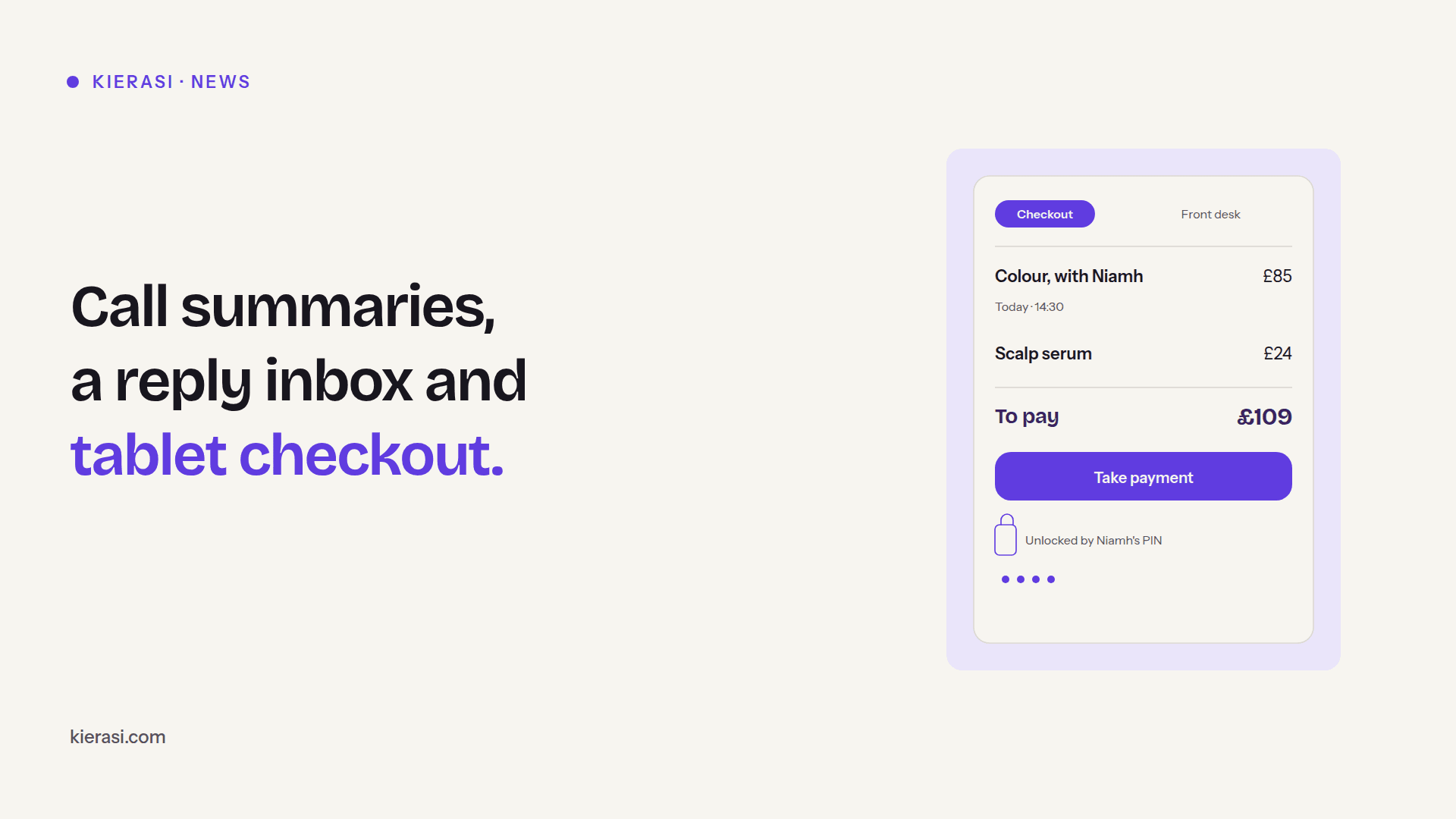
The Kiera workspace has had another busy week. This note, dated 16 November 2026, covers changes released between 10 and 15 November.
A summary after every call
When a call ends, the business receives an email: who called, what was discussed, what was booked or left open, and any follow-up. The notes are saved on the client record, so the next person to see that client is not starting from a blank page.
The caller can receive a shorter version. If they shared or confirmed an email, and the call did not already book or save an enquiry, Kiera sends a thank-you with what was discussed, and a link to book if nothing was booked. A booking puts that recap inside the confirmation email. An enquiry puts it inside the acknowledgement. The business can switch the caller email off under Client messages. It is included on Essential and on Growth.
Booking with a named person
On a live call, a caller can ask for a particular person. Kiera checks that person's times when they offer the service, or offers anyone who is free. She reads the time back and waits for a clear yes before the booking is made.
If the caller starts speaking while she is still talking, she stops and listens.
An inbox for texts and email
Texts to the reception number, and emails sent to the business inbox, now sit in one place. Kiera can answer them from what the business has published in Kiera's Brain. If she is not sure, she tells the customer the team will reply and marks the conversation for a person. Emails she is not sure about always wait for approval. When someone on the team replies, she pauses in that conversation.
Texts can be off or automatic. Email can be off, held as a draft, or sent automatically. The inbox is on Essential and Growth. Answering needs those published answers to be in place. Texts still use the monthly text allowance.
A known caller, and one client record
When a saved number calls, Kiera asks whether she is speaking to that client before she uses their record. Once they confirm, she can see their visits and help them book, move or cancel.
At the start of a call from a phone number, she says she will take notes, that a written transcript is kept, and that the caller can say if they would rather it was not. If they say so, or press 2, the transcript is discarded. It is filed against the client only once the caller has confirmed the name is their own. A call about someone else is not filed against the caller.
A phone booking or enquiry now uses the client record that already has the same name and the same phone number or email. It does not open a second record for the same person.
Tablet checkout
The owner can create a private link for each iPad or desk screen, from Checkout. The link is shown once, as a code to scan or an address to copy. Each person unlocks it with their own PIN of 4 to 8 digits. Kiera does not show the PIN again.
The screen is the checkout: today's appointments, tips, promotions, loyalty where it is switched on, a card reader or QR code, and online orders waiting to be collected. It does not open the rest of the workspace. The sale records who was signed in. The screen locks after five quiet minutes, and after too many wrong PINs. It does not lock in the middle of a payment.
Taking payment can be switched off for a business. Clinics, salons and garages start with it on. Trades start with it off, and can turn it on in the business profile.
Loyalty on every payment
Loyalty is on the Growth plan. You can set it up before you upgrade, and switch it on when you do. Clients now earn on till sales, payment links and online deposits. Tips never earn. A refund takes back what that sale earned.
Two messages sit with it, both on Growth, and both off until you switch them on. "We miss you" goes to a client who has not been in for a while (eight weeks, unless you change it) and has nothing booked. It is not sent if they have been in or booked since, or if they had a rebook reminder in the last three weeks. "Your reward is ready" goes once, when a balance first reaches a reward, and only in the daytime. Both can go by email, text, or both.
The morning summary
The daily summary for the person running Kiera now sets yesterday beside the day before and a seven-day average. It lists emails and payments that still need a review, or says the day is clear. The counts are for the previous London day. It is that morning summary, not a report inside each business's workspace.
The reception number, at a glance
Reception now opens with the number itself. A live line says the receptionist is answering. If calls are not being answered, or no number is connected yet, the card says so and offers the next step. The number can be copied.
A soft Irish accent
In the business profile, Kiera can speak with a soft Irish accent. Clinics, salons and the other appointment businesses start on that accent. Garages and trades start on a British accent. You can also choose British, soft Scottish or a neutral accent, and there is a trial voice described as a soft Irish voice. She keeps the chosen accent for the whole call, including numbers and email addresses.
Tomorrow stays on the desk
Your day now keeps tomorrow's visits in view, even when the diary is long. The header names who is signed in and their role. On a phone, the appointment form shows the whole sheet, not only the title.
Your move
If the phone, the texts and the till still live in three different places, we would be grateful for 15 minutes of your time.
Quick answers
Who receives a summary after a phone call?
The business receives a summary of who called, what was discussed, what was booked and any follow-up, saved on the client record. If the caller shared or confirmed an email, they receive a short recap. A booking or an enquiry puts that recap inside the confirmation email instead of a separate one. The caller email can be switched off under Client messages.
Which of these features need the Growth plan?
Loyalty, the win-back message and the reward-ready message are on Growth. You can set loyalty up before you upgrade. Call summaries, the inbox, tablet checkout, the reception number card and the accent choice are on Essential and Growth. Essential is £99 a month and Growth is £149 a month.
How does tablet checkout work?
The owner creates a private link for each device from Checkout. Each person unlocks it with their own PIN of 4 to 8 digits. The link opens checkout, tips, promotions, loyalty and online orders, and does not open the rest of the workspace. The sale records who was signed in.
Does the inbox answer every message on its own?
Kiera answers only from what the business has published. If she is not sure, she tells the customer the team will reply and marks the conversation. Emails she is not sure about wait for approval. When someone on the team replies, she pauses in that conversation. Texts can be off or automatic. Email can be off, a draft, or automatic.
Can a caller book with a particular person?
Yes. On a live call, Kiera can check the times of a named team member when they offer that service, or offer anyone who is free. If the caller talks over her, she stops and listens.